See something great? One tap to save it to Pebble and share with your partner
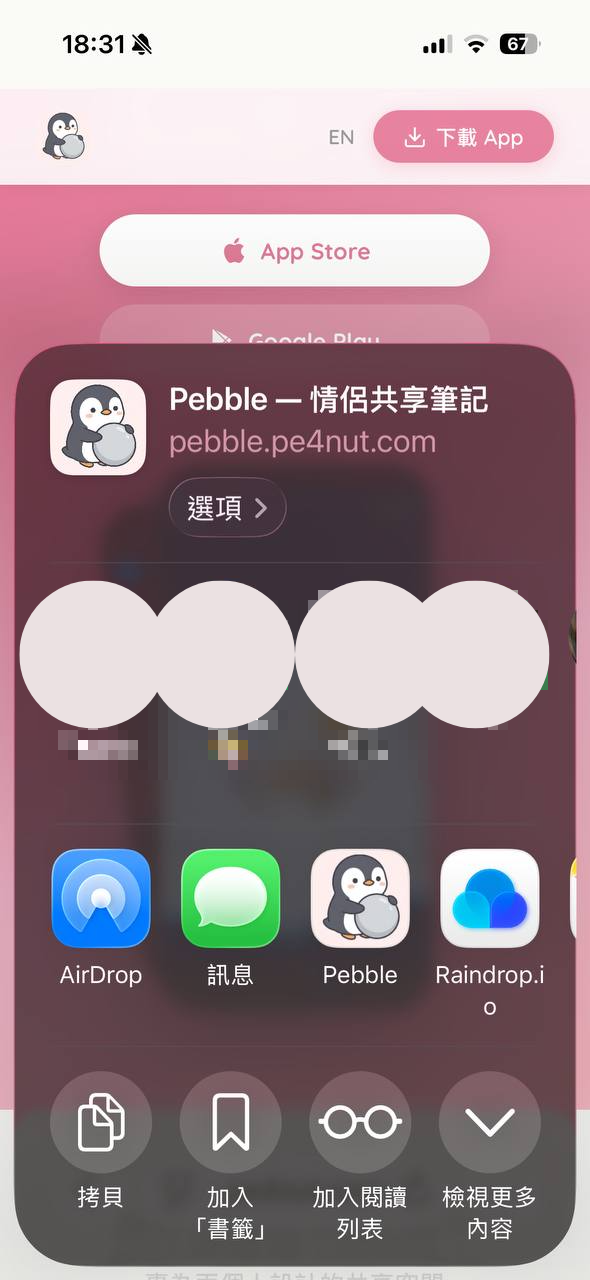
In Safari, Instagram, YouTube, or any app, tap the share button (the square with an arrow).
Look for the Pebble penguin icon in the app row. If you don't see it, swipe right or tap "More".
Choose which collection to save to and hit send. The link's title and thumbnail are fetched automatically — your partner will see it right away.
In Chrome, YouTube, or any app, tap the share button.
Find Pebble in the share menu and tap it. You may need to scroll down the first time.
Same as iOS — choose a collection and you're done.
Make sure the Pebble app is installed and you're signed in. If it still doesn't show up, try restarting your phone.
iOS: Long-press the Pebble icon in the share sheet and select "Add to Favorites". Once it's a favorite, you can drag to reorder it. You can also tap "More" at the end of the row to manage the list.
Free to download, pair in 30 seconds